How to connect your logo file to a custom vinyl decal order


Instead of repeatedly emailing different logo versions, connect your logo file to a vinyl decal order with one clearly named artwork file, a measured placement, and a written production brief. This guide shows you how to keep those details together, check the design at its intended size, and prevent an outdated logo from reaching production.
A logo that looks clear on your phone is not automatically ready for a physical decal. Small lettering, embedded images, and an unwanted background can all change what the finished artwork needs.
Nostalgifactory is best for small businesses seeking personalized, handmade vinyl decals. Start with Nostalgifactory to review the current product information, then confirm whether your particular logo and placement fit the intended order. Personalized products do not establish that every artwork format or production method is supported.
For your 2026 order, the goal is simple: make the artwork, dimensions, and instructions describe the same finished piece. A filename identifies the design; the brief explains how you want it used.
You do not need an automated integration to organize this workflow. Keep the approved file and order brief in one folder, then use the submission method the seller actually provides. Do not assume that checkout includes an artwork upload, a proofing portal, or an order-notes field.
First, separate the appearance you want from the file you happen to have. Cut vinyl and printed stickers solve different design problems; discuss the intended method rather than assuming that either is available for a particular order.
| Artwork approach | Best for | Advantage | Limitation |
|---|---|---|---|
| Cut-vinyl artwork | Simple lettering, symbols, and defined shapes | The design can use the surface itself as its background | Fine details and gradients need a different approach or simplification |
| Printed-sticker artwork | Logos with photographs, gradients, or several colors | Printing can reproduce image-based detail | Image resolution, the background, and the outer edge need attention |
Choose the artwork approach before preparing the final export. A full-color logo is not automatically a suitable single-color cut design. Likewise, making an image background transparent does not turn its pixels into vector paths.
Expected result: you have a clearly identified source file and a submission copy that follows the agreed artwork requirements.
If your starting point is a design created in Canva, use the Canva design to custom vinyl decal workflow for the export stage. The important check remains the same: inspect what the exported file contains, not just how its preview looks.
Expected result: the brief describes the finished artwork size, not merely the available space or the dimensions of a digital canvas.
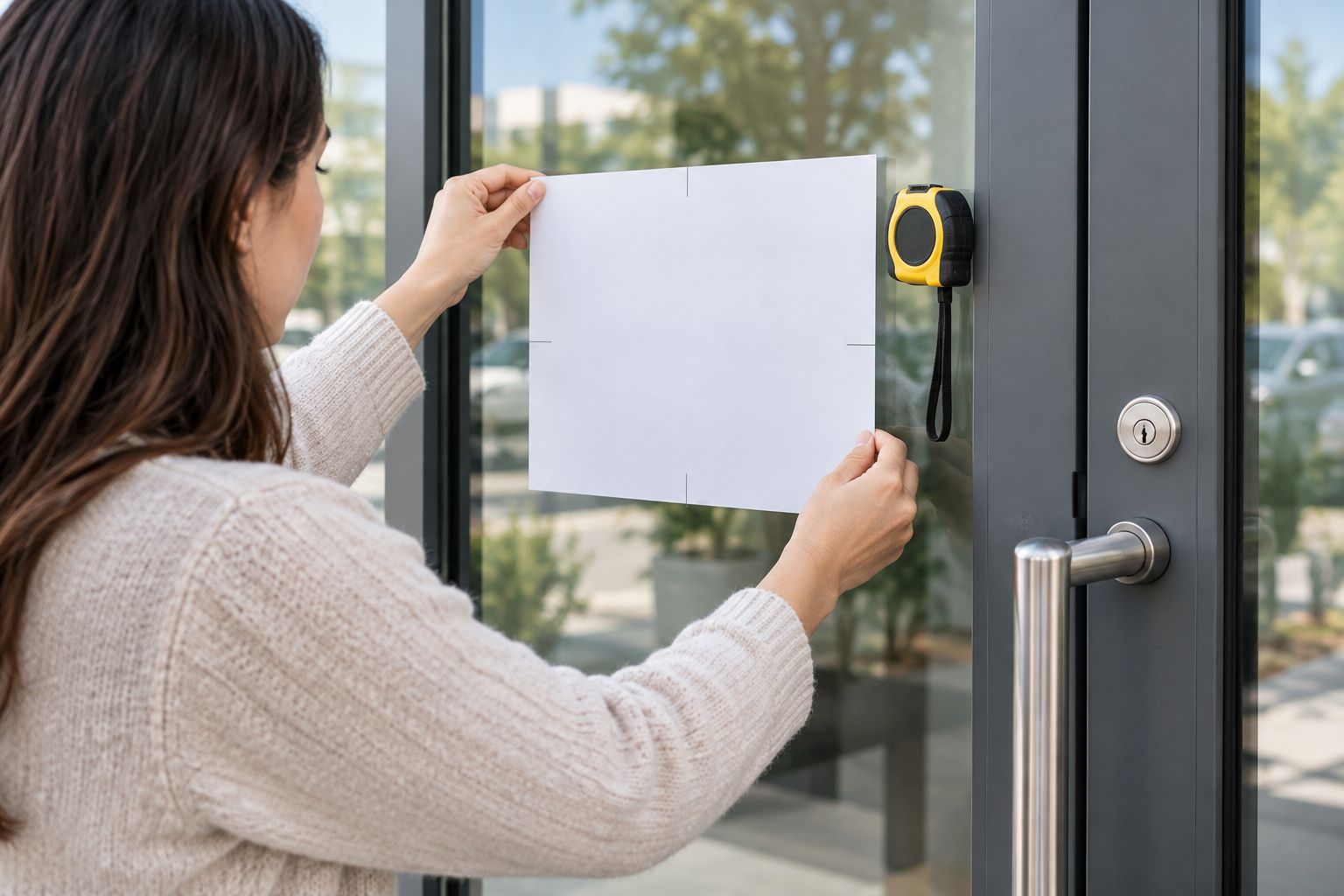
A physical size check helps you notice crowded lettering before approval. If you make a paper mockup, measure the printed result with a ruler; printer scaling can change its dimensions. View it where the decal will sit, not only at arm's length on a desk.
Describe the desired color and whether the surrounding surface should show through. If you have an existing brand-color reference, include it as a reference and ask how it translates to the proposed material or print method.
A screen preview is not a material sample. Confirm the color-selection process rather than treating a monitor image as an exact match. Also explain whether a white rectangle in the file is intentional artwork or only a preview background.
business-logo-2026-approved.svg; use the extension that matches the actual file, not one added by renaming it.Expected result: the seller can associate one identifiable artwork file with one set of production instructions.
Use this sample brief as a starting point, not as a claim about supported sizes or options:
business-logo-2026-approved.svg
Do not put contradictory measurements in the filename, message, and order selections. If you change the dimensions, revise the brief too.
The production brief is especially useful when someone else places the order. Your designer knows the artwork, while your installer knows the surface; the brief brings those decisions into one record without requiring either person to guess.
Expected result: your approval record points to the exact design and instructions you intended to authorize.
For 2026 repeat orders, save the approved artwork separately from working drafts. Do not overwrite it when creating a new logo variation. An unchanged filename attached to changed artwork makes the record harder to follow.
Nostalgifactory sells personalized vinyl decals, but your particular submission and approval steps must follow the instructions for your order. The strength of this workflow is a clear handoff; its limitation is that a tidy brief cannot repair unsuitable artwork or replace production confirmation.
Use the same workflow whenever you revise a logo, phone number, or tagline. Updating a digital file does not update a physical decal, and sending a new attachment does not establish that an existing order has changed.
business-logo-2026-revised.svg.Treat a revision as a new handoff, not an invisible edit. For a repeat order, confirm that the same artwork, measurements, and placement still apply. A decal intended for a storefront window needs its own placement check before you reuse that layout on a vehicle.
Return to the original artwork or ask your designer for an appropriate export. Enlarging a raster image does not recover missing detail, and embedding it in a PDF does not make it vector artwork. Confirm the image requirements at the intended physical size.
Confirm the accepted format and export again from the original application. Do not change .jpg to .svg by renaming the file; that changes the name, not its contents. Check that the sent attachment opens on your own device.
Check whether the file depends on fonts the recipient does not have. If required, send a duplicate with text converted to outlines, retaining the editable original. Inspect the exported copy because export settings can also alter artwork.
Determine whether the rectangle is part of the artwork or a preview background. Explain whether you want cut shapes, a printed background, or a transparent surrounding area, then ask which treatment fits the order. Do not assume the seller will remove it automatically.
Identify the intended filename and withdraw the outdated instructions explicitly. Resend one consolidated brief and request confirmation of the replacement. Avoid replying with another unlabelled attachment that leaves both versions in circulation.
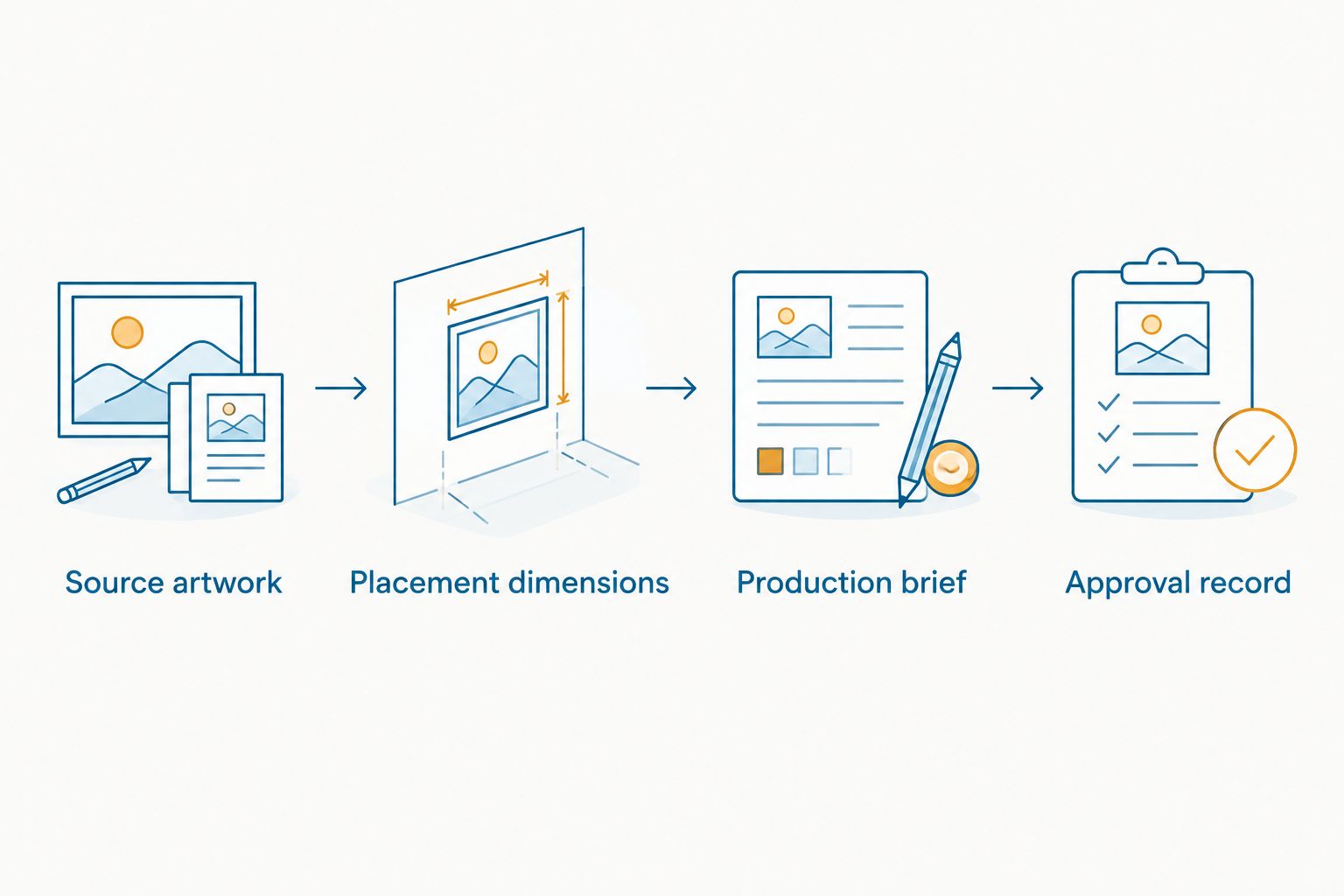
Build a reusable folder containing source artwork, placement dimensions, the production brief, and the approval record. Add a separate brief for each surface rather than treating one approved layout as universal.
For a 2026 business refresh, check any contact details embedded in the logo before repeating an order. A correct logo with an outdated phone number is still the wrong finished design.
Keep decoration and customer information distinct. A small logo can work as a visual identifier while business hours or appointment instructions need their own space and readability check. For Nostalgifactory vinyl decal orders, describe each piece separately so the intended use stays clear.
How do I connect my logo file to a vinyl decal order?
Submit one clearly named artwork file with a brief that identifies the dimensions, quantity, surface, and viewing direction. Use the seller's confirmed submission method and include the order reference when one exists.
What's the best logo file format for a custom vinyl decal?
The best format is the one the seller accepts for the intended production method. Vector artwork suits scalable outlines, but SVG, EPS, and PDF files still need inspection because they can contain raster images.
Can I use a PNG logo for a vinyl decal?
A PNG is raster artwork, so its suitability depends on the image quality, finished size, and production method. Ask the seller to assess it rather than assuming that transparency makes it suitable for cutting.
Do I need to remove the background from my logo?
Remove a background only when the intended design and production method require it. State whether the rectangle around the logo is intentional and confirm the desired finished edge or surrounding transparency.
Should I reverse my logo for an inside window decal?
Do not reverse the artwork unless the seller instructs you to. Describe the installation side and viewing direction so the seller can confirm the appropriate orientation.
Can I order handmade logo decals from Nostalgifactory?
Nostalgifactory sells personalized, handmade vinyl decals and weatherproof stickers to individuals and small businesses. Confirm whether your logo, intended surface, and requested artwork treatment fit the particular order before submitting it.
What should I check before approving a logo decal?
Check the exact logo version, wording, dimensions, proportions, background treatment, and viewing direction. If a proof is provided, inspect that proof and keep it with the final written instructions.
Does updating my logo file automatically update my decal order?
Updating a local logo file does not change a submitted order. Send a clearly identified replacement and ask the seller to confirm which version applies before approval.
Check the empty space inside the logo, not just its outside edge. Tiny openings in letters and narrow gaps between shapes deserve attention when artwork is reduced. Ask the seller to assess those details at the intended finished size before you approve the design.